BerthTime can email you when a shipment is late, arrives, or stops tracking. You choose what matters. Go to Settings > Notifications.
Create an alert rule
An alert rule is a short sentence: "Email me when a shipment is delayed by 3 days or more".
- Click New rule.
Finish the sentence. Choose when you want an email:
- is delayed by a number of days or more, compared with the first arrival date
- has its ETA moved later by a number of days or more, in one change
- is predicted to arrive a number of days after the carrier's date
- arrives at the port of discharge
- is delivered
- fails to track a number of times in a row
- Under Which shipments, keep All shipments, or pick only shipments With the tag you choose (for example urgent), or From the carrier you choose.
- Under Who gets the email, tick the people in your team. Tick Everyone in the company to include all of them.
- Under Extra email addresses, add people outside BerthTime, like a customer or a customs broker. Add up to 10 addresses, with a comma between them. Each email has an unsubscribe link.
- Click Create rule.
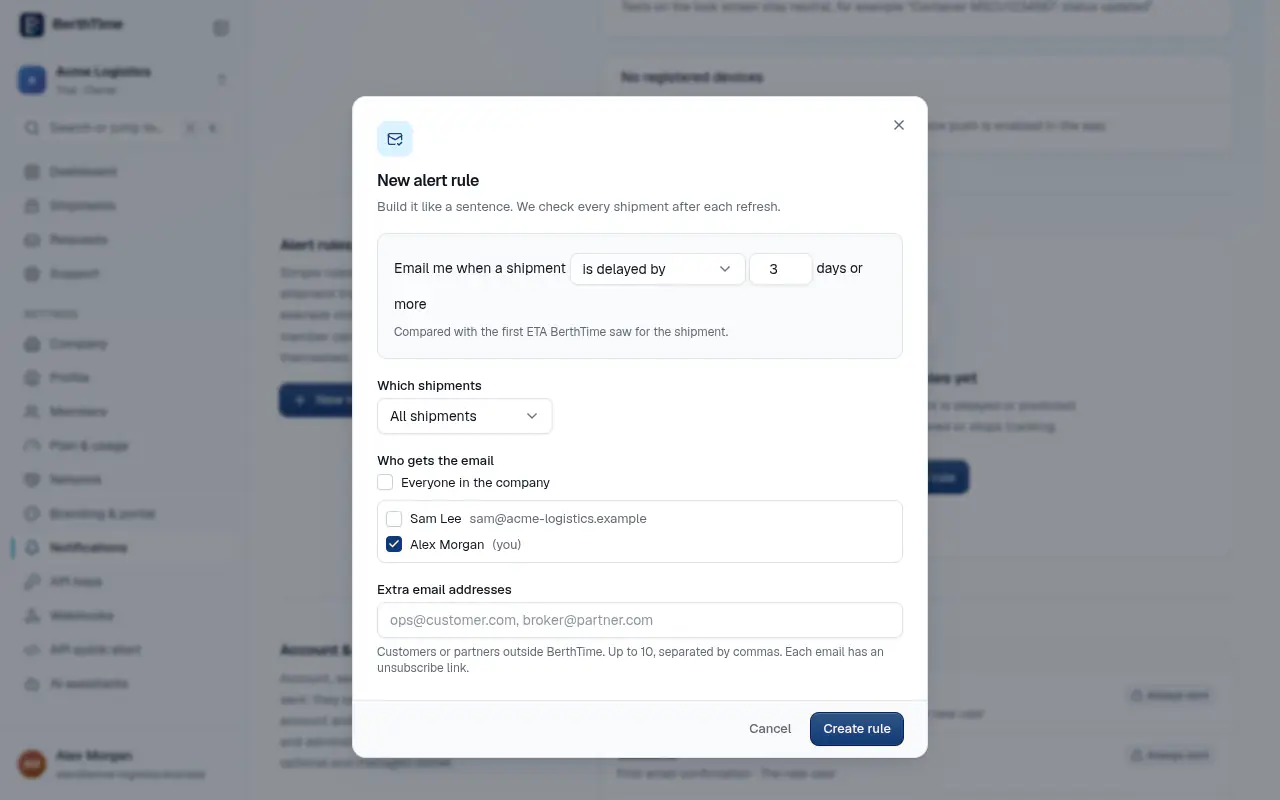
BerthTime checks every shipment after each update. Each change sends one email, not one every hour.
You can pause a rule with the Active switch, or delete it.
Get a daily or weekly summary
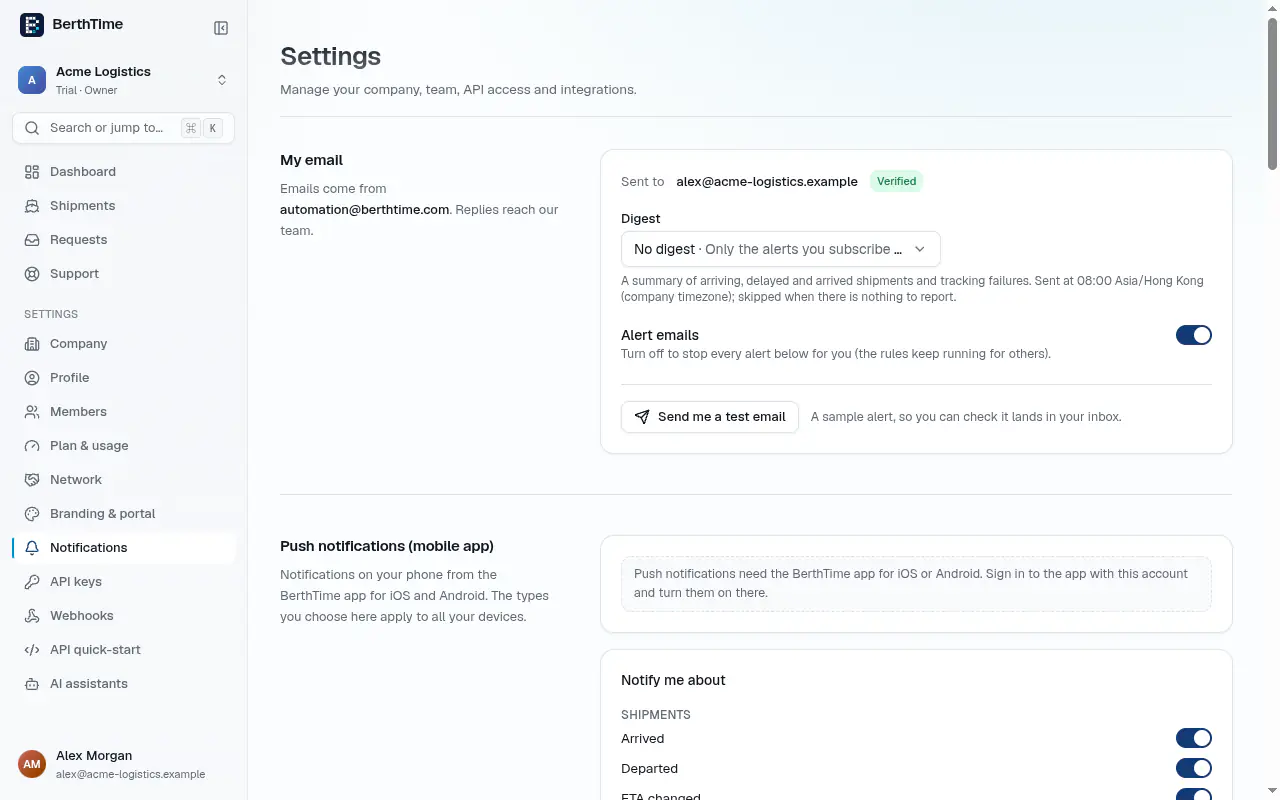
Under My email, choose a Digest:
- Daily: every morning at 08:00
- Weekly: on Mondays at 08:00
- Monthly: on the 1st of the month at 08:00
- No digest: only the alerts you chose
The summary lists shipments arriving soon, delayed, arrived, and those that stopped tracking. It uses your company's time zone. If there is nothing to report, no email is sent.
Check that emails reach you
Click Send me a test email. A sample alert arrives within a minute. If you do not see it, look in your spam folder. Emails come from automation@berthtime.com.
To stop all alerts for yourself, turn off Alert emails. The rules keep working for your colleagues.
Notifications on your phone
Push notifications need the BerthTime app for iOS or Android. Sign in to the app with the same account and turn them on there.