You can delete your account at any time, from the website or the mobile app. Deleting is immediate and cannot be undone.
Delete your account
- Go to Settings > Profile.
- Scroll down to Delete account and click Delete account….
- Read what happens to each of your companies (see below).
- Type your password.
- Type DELETE to confirm.
- Click Delete my account.
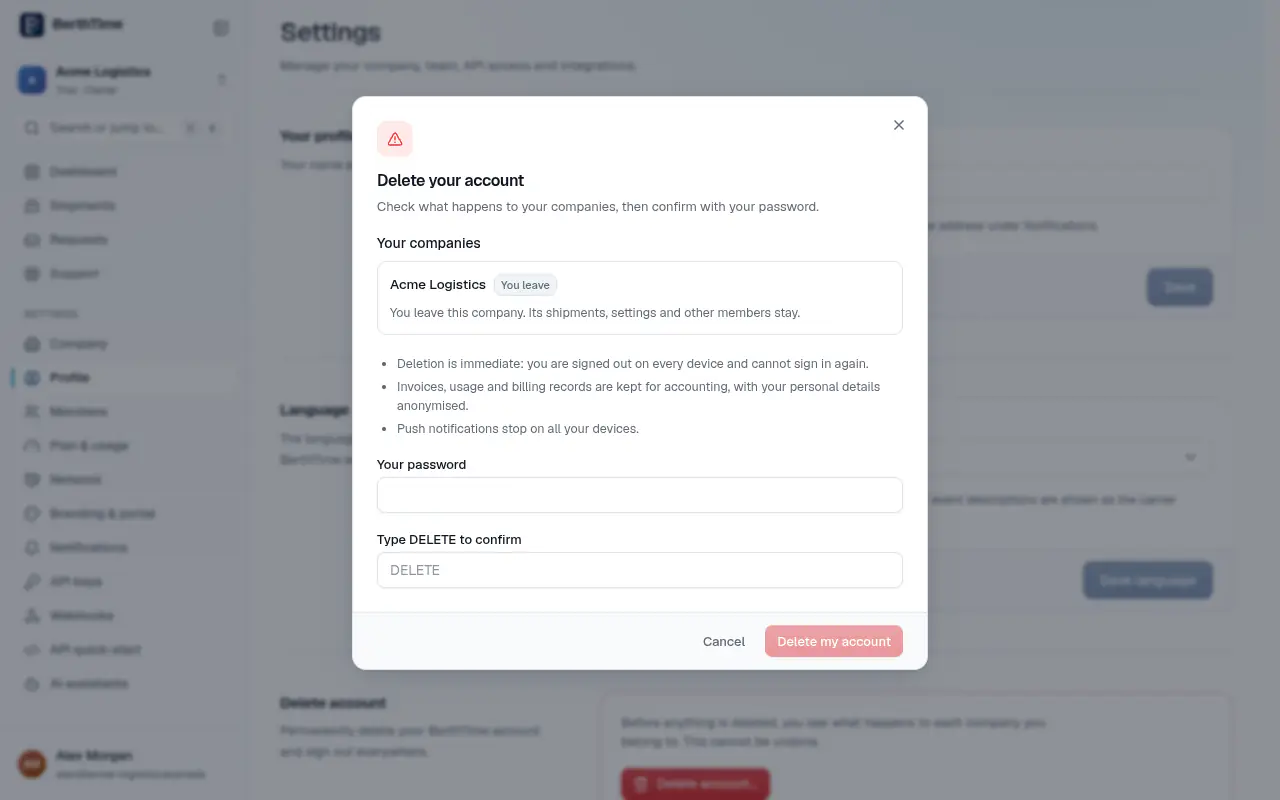
You are signed out on every device and cannot sign in again.
What happens to your companies
Before anything is deleted, BerthTime shows what happens to each company you belong to:
- You leave: the company has another owner. You simply leave. Its shipments, settings and other members stay.
- New owner needed: you are the only owner, and there are other members. Choose who becomes the new owner.
- Closed: you are the only member. The company is closed with your account. Its settings are deleted and its shipments are archived, with their numbers, notes and tags cleared.
What we keep
- Invoices, usage and billing records, which we keep for accounting. Your personal details in them are made anonymous.
- Shipments of companies that still have members.
Copies in our encrypted backups are overwritten within about 35 days.
Can't sign in?
Reset your password first from the login page, then delete your account. If that does not work, contact us and we will help.
For the full details, read the account deletion page.